I once rage-quit a game for increasing typing speed because my spacebar double-registered mid-race. Threw my $280 board in a drawer for three weeks. But the real reason I kept losing that month? My posture. I was typing from a couch, wrists bent at 45 degrees, leaning forward like a gargoyle, wondering why my accuracy typing kept tanking after ten minutes.
Bad posture doesn't just hurt. It caps your typing speed. Here's how to fix it without spending a dollar. If you've been stuck for months wondering why your typing speed is stuck in neutral, your chair might be the real culprit — not your fingers.
TL;DR: Sit straight, float your wrists, elbows at 90°, screen at eye level. Stretch every 30 minutes. That's it. Everything else is noise. If you want to increase typing speed or learn how to type with all fingers properly, start with your chair — not your keyboard.
Your Chair Beats Your Board
I spent $300 on a mechanical keyboard while sitting on a dining chair two inches too low. Elbows flared like wings. Wrists planted on the desk so hard they went numb. I was the guy with expensive gear and bad typing skills — except I literally own the site.
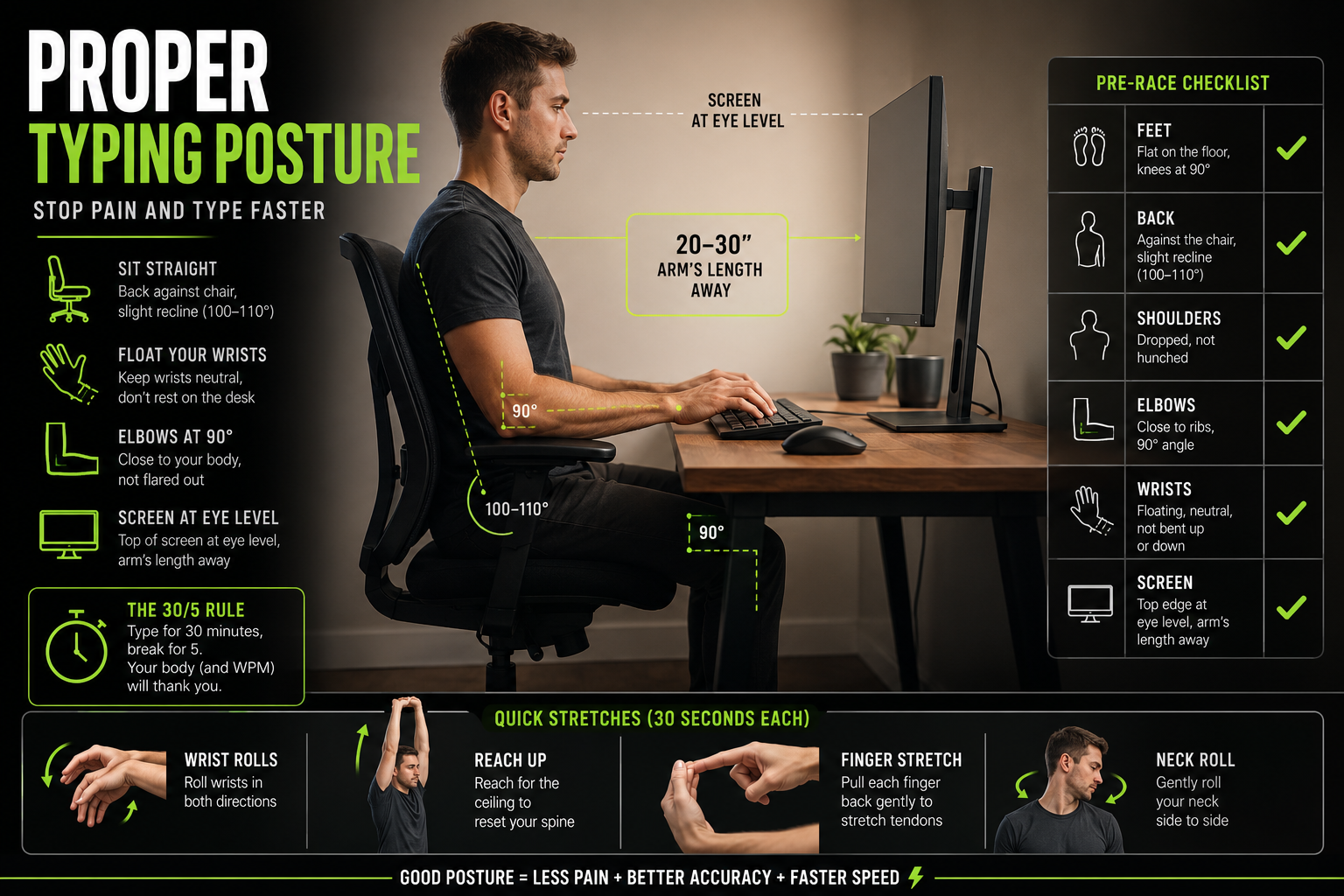
The fix costs nothing. Adjust your chair so knees hit 90° and feet sit flat. Leave a gap between the seat edge and the back of your knees. Don't cross your legs — it tilts your pelvis and throws off your whole upper body. (Comfortable? Yes. Good for your WPM? No.)
Nine times out of ten, when someone says their hands hurt after keyboard practice, the chair is the culprit. Not the switches. Not the keycaps. The chair. Mayo Clinic's carpal tunnel overview confirms this: wrist position and posture are primary risk factors for repetitive strain injuries in people who type for extended periods.
This is something I cover in more detail when talking about why your speed gets stuck — most people blame their keyboard, their switches, or their "slow fingers" when the real problem is that they're typing from a position that makes speed physically impossible.
Float Your Wrists or Stay Slow
This separates people who master typing from people who plateau forever. Your wrists should hover above the desk, not rest on it. Planting them creates a pivot that limits finger range and strains tendons over time.
I learned this during a four-hour grind. By hour three, my right wrist was done. By hour four, I was mistyping every third word. Finished 12 WPM below my average typing speed and couldn't type comfortably for two days.
Keep your keyboard typing setup flat. Don't use the little legs that tilt the board upward — they force your wrists into extension, compressing the carpal tunnel. If you use a wrist rest, rest on it between races. Lift off when you type. Harvard's RSI Action program specifically warns against resting wrists on wrist rests while typing — they should only be used during breaks.
Elbows stay close to your ribs at roughly 90°. Flared elbows mean hunched shoulders. Hunched shoulders mean heavy fingers. Heavy fingers mean mistakes. Mistakes cost WPM.
Fix Your Screen, Fix Your Neck
Your monitor top should sit at eye level. You look slightly down at the center. Not craning up. Not hunching forward.
Laptop users — this is your bottleneck. Laptop screens sit too low, pushing your neck forward and rounding your shoulders. That tension travels down your arms into your fingers. You'll feel it in your fast finger typing accuracy before you feel it in your neck.
Fix: a laptop stand and an external board. A $20 stand plus a $40 keyboard typing setup does more for your high typing speed than a $400 custom build ever will, if you're currently typing with your chin on your chest.
Keep the screen an arm's length away — roughly 20–30 inches. Any closer and your eyes strain. Any farther and you'll lean forward without noticing.
The 30/5 Rule (The One Everyone Ignores)
Perfect posture won't save you from sitting still for three hours. Your body isn't built for it. Neither are your hands.
Every 30 minutes of fast typing practice, stop for 5 minutes. Stand up. Roll your wrists both ways. Reach for the ceiling. Pull each finger back gently. Then resume.
I ignored this for two years. Two years of wrist stiffness and afternoon races consistently worse than morning ones. "Fatigue" isn't just mental. Your body accumulates micro-strain that shows up in your english typing accuracy long before it shows up as pain.
Set a timer. 30 on, 5 off. Your average words per minute typing in the second hour will thank you.
The Pre-Race Checklist
Before you jump into ranked races or long typing lessons, run through this. Ten seconds.
| Check | What to Look For |
|---|---|
| Feet | Flat on floor, knees at 90° |
| Back | Against chair, slight recline (100–110°) |
| Shoulders | Dropped, not hunched |
| Elbows | Close to ribs, 90° angle |
| Wrists | Floating, neutral, not bent |
| Screen | Top at eye level, arm's length away |
Racing with bad posture is like racing with lag — you're handicapped before the first word appears. Run this checklist before every alphabet typing test or ranked session. It matters more than you think.
If you want the full government-approved version of this checklist, Oregon OSHA's computer workspace guide covers everything from chair adjustment to lighting levels.
When Posture Isn't Enough
Rule of thumb: hands hurt after 10 minutes? Check posture. After 2 hours? Normal fatigue — take a break. Constant pain regardless of duration? See a professional. I'm a typist, not a doctor. Cleveland Clinic's RSI overview has solid guidance on when symptoms warrant medical attention.
Also — posture won't fix bad finger technique. You can sit perfectly and still type poorly if your fingers don't know home row. If you're under 60 WPM, you need to focus on accuracy before you worry about posture. Our free typing lessons cover finger placement, home row, and the fundamentals. No paywall. No upsell. Just structured drills that work.
Whether you use Typers World, typing master pro, or any other platform, the fundamentals are the same. If you want to test how fast you type and actually improve, start with lessons before worrying about your chair height.
Our typing practice for beginners takes you from hunt-and-peck to consistent touch typing in about 10–15 hours. Posture optimises what you already know. It doesn't replace learning how to increase your typing skills from scratch.
The Honest Truth
I've owned four mechanical boards. Spent more on keycaps than rent. Optimised every variable that costs money. The biggest boost to my typing speed happened when I sat up straight and started floating my wrists. Free. Boring. Worked better than any upgrade.
If you're grinding for high typing speed and wondering how to type faster, check your posture before you check your switch type. If you're doing fast typing drills and your accuracy keeps dropping after 20 minutes, you're not tired — you're slouching. Fix it.
Your body is the platform your fingers run on. Treat it like one.
Now fix your chair and test how fast you type. Your typing speed isn't going to improve itself.
Put your new posture to the ultimate test. Join a live Typing Race on Typers World today!
Straight Answers
How do I increase typing speed in computer use without buying anything?
Fix your posture. Float your wrists. Keep elbows at 90°. Take a 5-minute break every 30 minutes. That's it. Zero dollars. Our data shows users who combine proper ergonomics with 15 minutes of daily keyboard practice improve by +8.3 WPM in four weeks. Hardware changes might add 2–3 WPM. Posture and consistent practice add 8+. Whether you want to increase typing speed on a laptop or a desktop, the fundamentals are the same — but if you're specifically wondering how to increase typing speed in computer setups, the chair and desk setup matters even more than on a laptop because you're stationary for longer sessions. If you want the full breakdown of how to improve your typing accuracy alongside posture, check that guide too.
Should beginners focus on posture or lessons first?
Typing lessons first, posture second. If you're still trying to learn how to type with all fingers properly, your fingers don't know where to go yet — perfect posture won't fix that. Run our free typing lessons until you can touch type consistently. Then optimise your setup. Posture is a multiplier, not a foundation.
Does posture really affect WPM that much?
Honestly? For a 1-minute alphabet typing test, probably not. For a 30-minute grinding session, absolutely. Bad posture creates fatigue that shows up as dropping accuracy, slower reaction time, and more errors in the second half of your session. If you want fast typing practice that actually builds typing skills over time, you need a setup that doesn't break down after 10 minutes. If you've been stuck for months, read our post on why your speed is stuck — posture is usually half the answer.
Related Articles
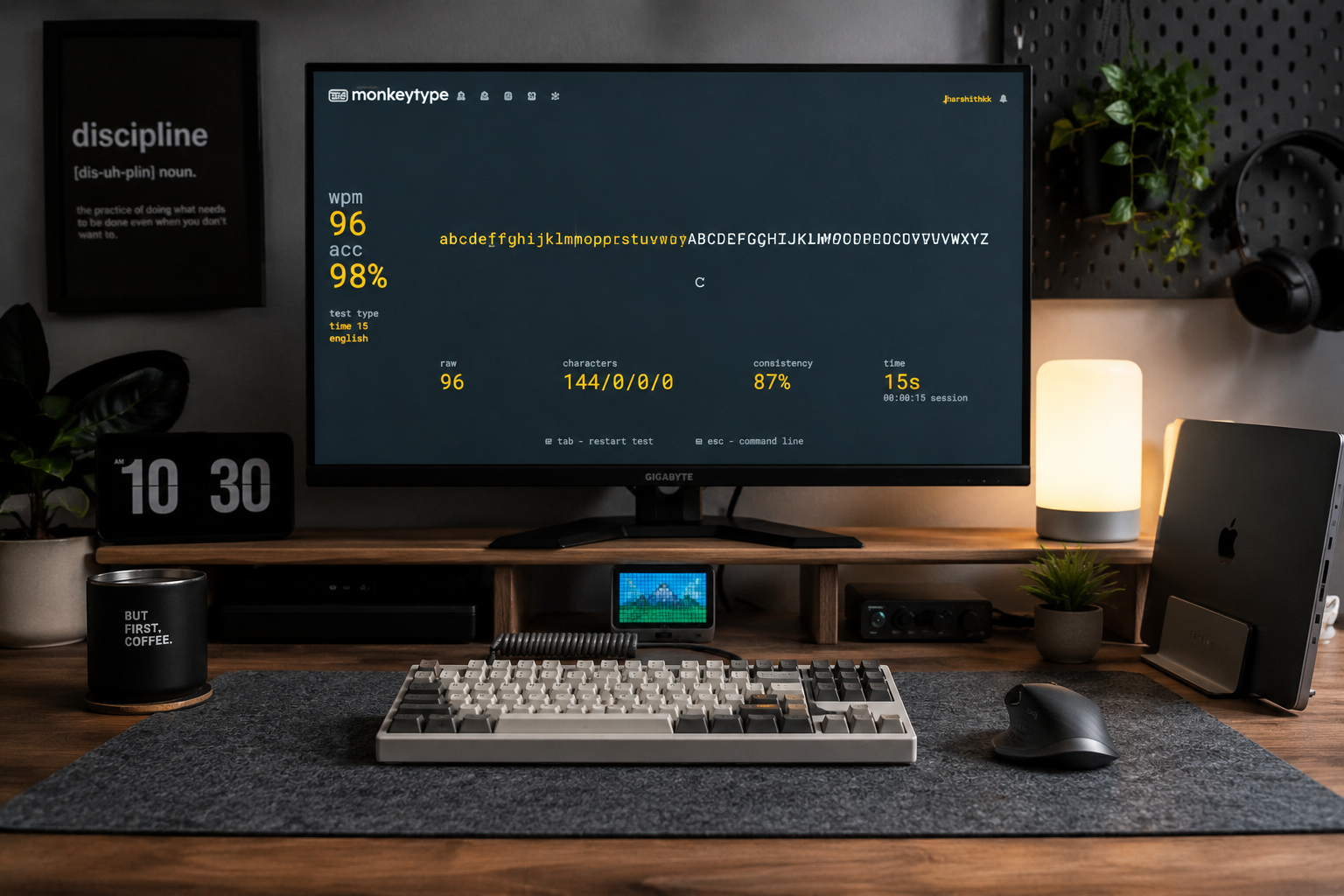
Alphabet Typing Test – Improve WPM, Accuracy, and Keyboard Control
Stop guessing where the letters are. Discover how simple A-to-Z alphabet drills can help you 'ingrain' the keyboard layout into your mind, fixing the common mistakes that keep your WPM stuck.
15 Minute Typing Test: Build Full Endurance & Focus | Typers World
Can you maintain your focus for a full quarter of an hour? The 15-minute typing test is the ultimate challenge for professional endurance. Learn how to manage finger fatigue, stay consistent, and reach the high standards required for legal and medical transcription careers.
10 Minute Typing Test: Build Your Professional Stamina | Typers World
Can you keep your focus for 600 seconds? The 10-minute typing test is the gold standard for writers, developers, and transcriptionists. Discover how to build professional-grade stamina, avoid the mid-session slump, and prove you have what it takes for high-volume roles.